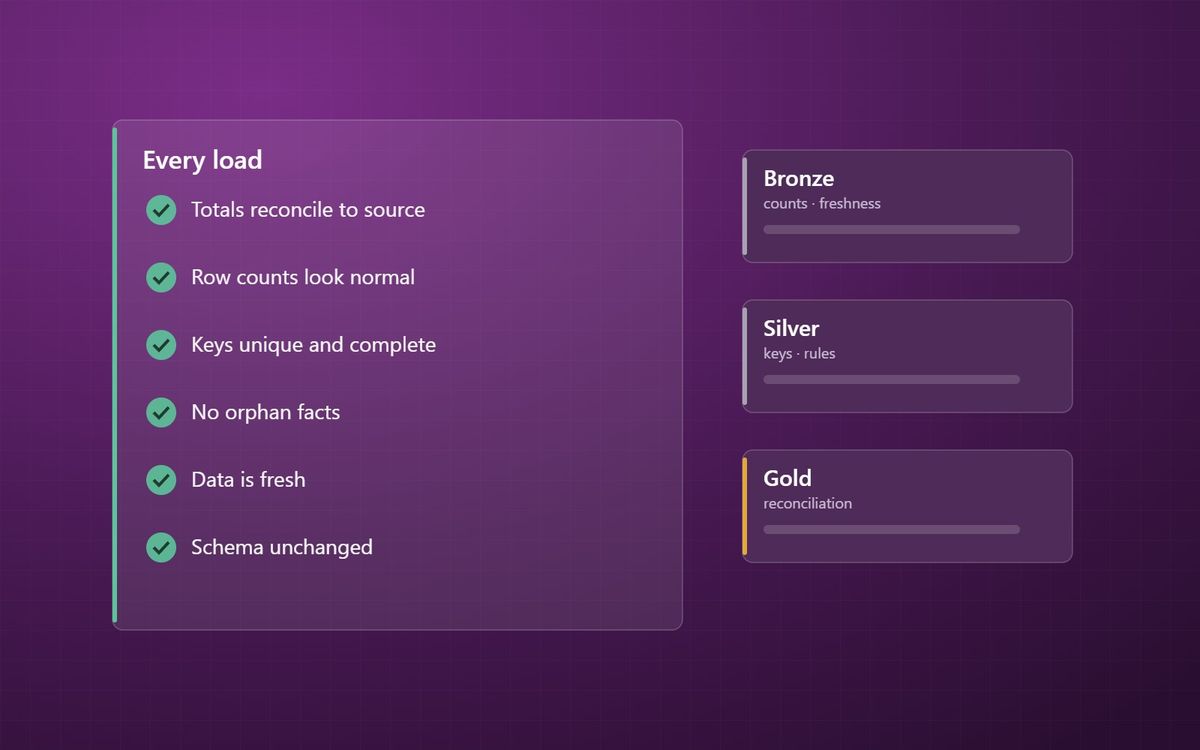
A pipeline that runs is not a pipeline that is right. A small set of automated checks, run on every load, catches most wrong numbers before anyone outside the data team sees them.
We have written before that a pipeline that ran is not the same as data that is right. This final post in our loading patterns series is the practical follow-up: the specific checks worth running on every load, and where each one belongs.
None of them are sophisticated. Together they catch most of the problems covered earlier in the series, from missed increments to keys that do not match.
1. Reconcile to the source
The most valuable test is also the simplest to explain: does the total in the platform match the total in the source system?
Pick the numbers the business cares about, such as net sales by month, stock value, or the trial balance, and compare them with the source after every load. Small agreed tolerances are fine for timing differences. Anything larger should stop the load or raise an alert. This is the test that tells you whether people should trust the number.
2. Row counts
Compare the rows extracted with the rows loaded, and compare today's volume with a normal day. A sales table that usually gains 20,000 rows and today gained 12 has a problem, even though nothing failed.
3. Keys: unique and complete
- Every dimension key is unique.
- No key is blank.
- Every fact row finds a matching dimension row.
Orphan rows point to late-arriving data or a quality issue. Duplicate dimension keys cause Power BI to create many-to-many relationships and double count, as we covered in relationships and cardinality.
4. Freshness
Check that each table was updated when expected and that its latest transaction date is recent. A load can succeed while copying yesterday's data again, because an upstream extract did not run. Freshness checks catch it.
5. Schema drift
Source systems change. A column is renamed, a type changes, a new field appears. Check incoming structure against what the pipeline expects, and fail clearly rather than loading nulls into a column that used to hold values. Delta tables in Fabric help by enforcing schema on write, as described in Delta and Parquet in plain English.
6. Business rules
Finally, test the rules that make sense to the business: no negative quantities on sales, every invoice has at least one line, margin within a plausible range. Materialized lake views in Fabric let some of these be declared alongside the transformation itself, which we mention in notebooks, Dataflows Gen2 or pipelines.
Where checks belong
- Row counts, freshness and schema checks run at ingestion, in Bronze.
- Key and business rule checks run as data moves into Silver and Gold.
- Reconciliation runs on the Gold layer, because that is what the business sees.
Each check needs an owner and a decision about what happens when it fails: stop the load, load and warn, or log for review. A check nobody looks at is not a check.
Where the series leaves you
Five posts in, you have the core of data loading: full or incremental, change data capture, keys, late-arriving data, and the tests that hold it all to account. Combined with our data modelling and Fabric building blocks series, that is most of what sits between a source system and a number the board trusts.
If you want these checks in place without building them all yourself, our Analytics Acceleration Programme gives you an ongoing data function to run them, and a free audit is a quick way to see where you stand today.
Test the number the business sees, on every load, before the business sees it.
Simon Devine
Founder, Hopton Analytics
Part of the Hopton Analytics team, delivering governed analytics programmes for UK mid-market organisations.