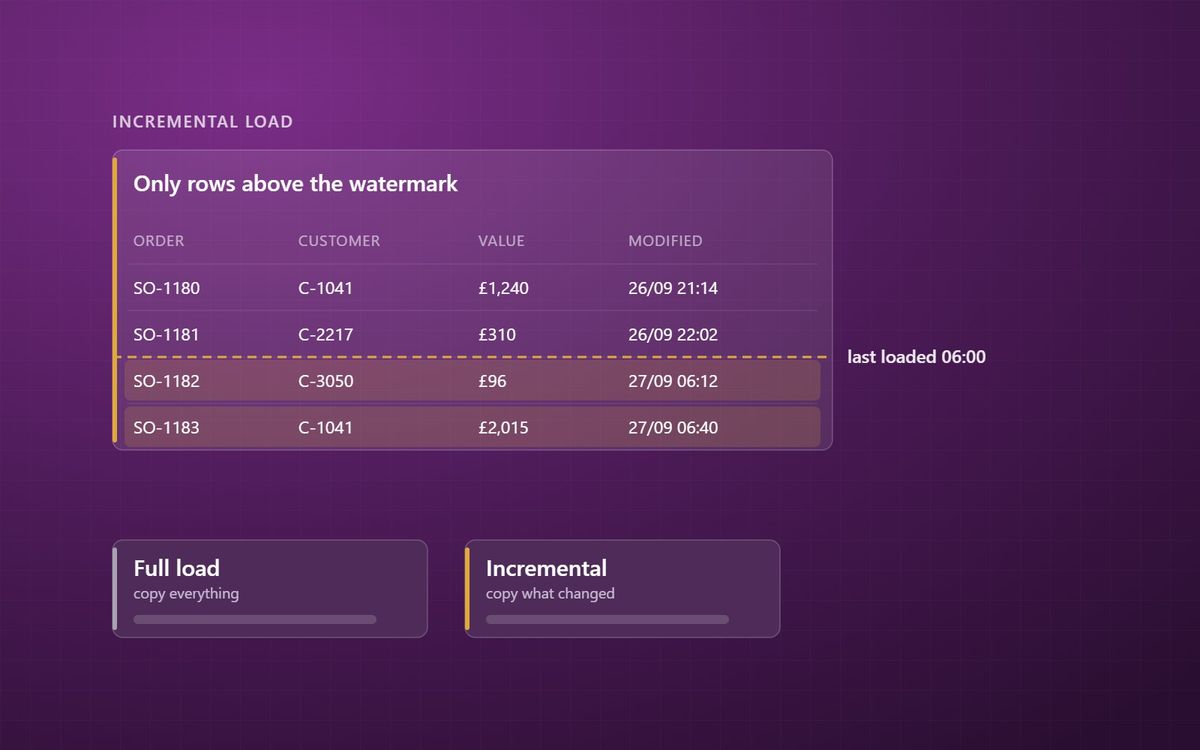
Reloading every table every night is simple until it is not. Incremental loads move only what changed, but they need a reliable way to know what that is, and a plan for deletes.
Every data platform has to answer one question for every table it loads: do we copy the whole thing again, or only what has changed since last time? The answer affects cost, speed, reliability and how fresh the numbers are.
This is the first post in a short series on data loading patterns. It follows on from our series on data modelling, which started with why the source system is the wrong shape for reporting.
Full loads: simple and honest
A full load copies the entire source table every time. Yesterday's copy is replaced with today's.
Its great strength is simplicity. There is no logic to get wrong about what changed. Deleted records disappear because they are simply not in the new copy. If something goes wrong, the next run fixes it.
For small and medium tables, full loads are often the right answer. A customer table with 20,000 rows or a product list with 5,000 costs almost nothing to reload.
Where full loads stop working
Full loads become a problem as tables grow. A sales line table with 50 million rows takes a long time to copy, uses capacity every time, and puts load on the source system. Refreshing it every hour becomes impractical, so the business waits for overnight numbers.
That is when incremental loading earns its place.
Incremental loads: only what changed
An incremental load copies only rows that are new or changed since the last successful load. To do that, it needs a reliable way to tell which rows those are.
The most common approach is a watermark: a column that increases whenever a row changes, such as a last modified date or a row version number. Each load remembers the highest value it saw, and the next load asks only for rows above it.
Many systems provide suitable columns. Business Central tables, for example, carry system fields such as SystemModifiedAt and SystemRowVersion, which is part of why our Business Central analytics work can refresh large tables quickly. Where a system offers no such column, change data capture is usually the answer.
The traps
Incremental loads are faster, but they are less forgiving. Three things catch people out.
- Deletes. A watermark finds new and changed rows. It cannot find a row that no longer exists. Deletes need their own approach, such as change data capture, a periodic key comparison, or a soft-delete flag in the source.
- Unreliable watermarks. If some processes update a row without updating its modified date, those changes are silently missed. Test the watermark before trusting it.
- Failed runs. The watermark must only move forward after a load has fully succeeded. Otherwise a failure in the middle leaves a gap that never gets filled.
These are the kinds of problems where a pipeline succeeds while the data is still wrong.
A sensible mix
Most estates use both patterns:
- Full loads for small reference tables and anything without a reliable change indicator.
- Incremental loads for large transaction tables.
- A periodic full reload, or a reconciliation check, for incremental tables, to catch anything the increments missed.
Where the source is a supported database, Fabric mirroring handles incremental replication for you. Downstream, Power BI has its own incremental refresh for large semantic models, which follows the same principle.
Next in the series
The next post covers change data capture, including how it solves the delete problem. If you want to know what your current loads cost and how fresh they could be, our data platform team can take a look.
Reload what is small, increment what is large, and always check that the two agree.
Simon Devine
Founder, Hopton Analytics
Part of the Hopton Analytics team, delivering governed analytics programmes for UK mid-market organisations.