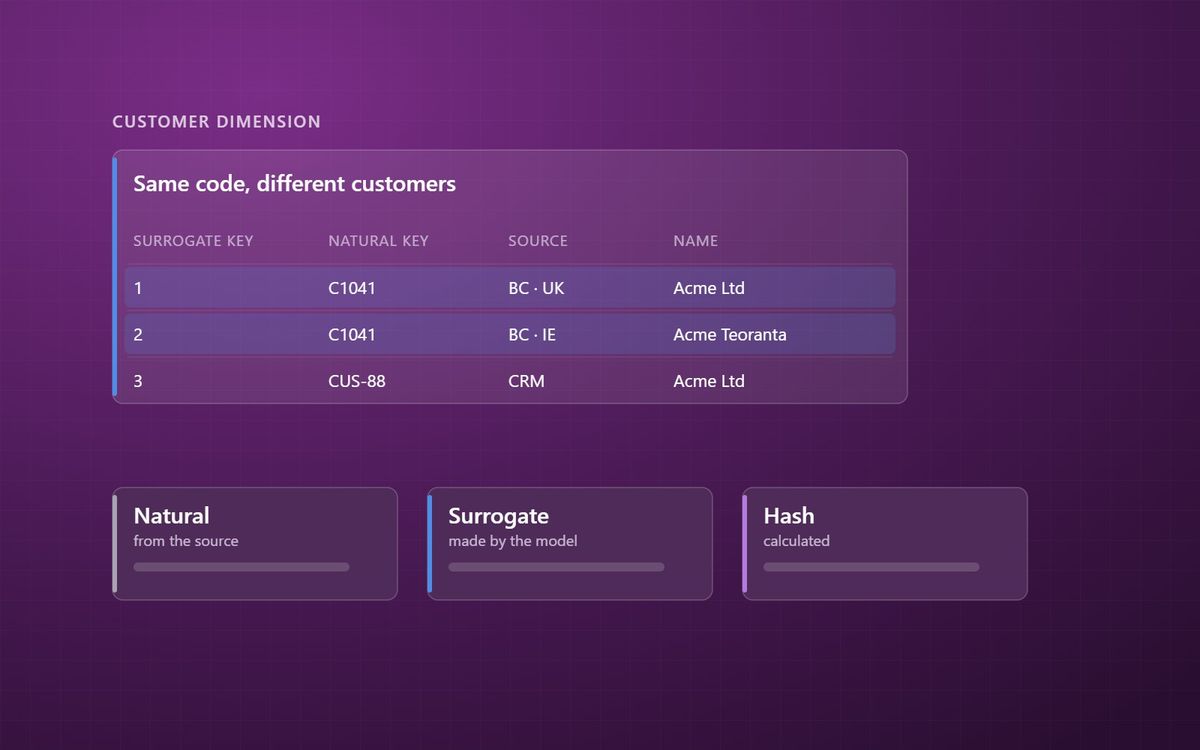
Every join in a data model depends on a key. Source systems bring their own, reporting models usually add another, and getting the difference wrong is how the same customer ends up counted twice.
Every relationship in a data model, and every merge in a data pipeline, depends on one thing: being able to say which row is which. That is the job of keys. It sounds dull. It is the cause of a surprising share of wrong numbers.
This is the third post in our loading patterns series, after change data capture.
Natural keys: the codes the business uses
A natural key, sometimes called a business key, is the identifier that comes from the source system and means something to people: a customer number, a product code, an invoice number, an employee ID.
Natural keys are essential. They are how data is matched back to the source and how people search for a record. But they have three weaknesses for reporting:
- They are not unique across systems. Customer C1041 in the UK company and customer C1041 in the Irish company may be different businesses.
- They can change. Codes get renumbered in a migration or a merger.
- They cannot represent history on their own. If you keep several versions of a customer, as with Type 2 slowly changing dimensions, the customer number appears on several rows.
Surrogate keys: the model's own identifier
A surrogate key is an identifier the data platform generates itself, usually a simple whole number with no business meaning. Each row in a dimension gets one, and fact tables store the surrogate key rather than the natural key.
That solves each of the problems above. Two customers with the same code from two systems get different surrogate keys. A renumbered code does not break history. Each version of a Type 2 customer has its own key, so each transaction points at the version that applied at the time.
Surrogate keys also help Power BI. Relationships on single whole-number columns are compact and fast, which supports the star schema the engine is designed for.
Hash keys: identity from the data itself
A hash key is calculated from the natural key, and usually the source system name, using a hash function. The same inputs always produce the same output.
Hash keys are popular in lakehouse platforms because any process can calculate the key independently, without looking up the next available number. That makes parallel and incremental loads simpler. The trade-offs are that hash keys are longer, so they use more space, and they are unreadable to people. Some teams use hash keys in the engineering layers and whole-number surrogate keys in the Gold layer that Power BI reads.
Two systems, one customer
The hardest key problem is not technical. It is deciding when two records are the same thing. The same customer may exist in the ERP, the CRM and the e-commerce platform under different codes.
The answer is a mapping: a table that records which source keys belong to which single customer, maintained by rules and by people who know the data. It is a data governance job as much as an engineering one, which is why it belongs alongside the rest of your agreed definitions. It also comes up constantly when consolidating several Business Central companies into one model.
Checks worth running
- Every dimension key is unique and never blank.
- Every fact row finds a matching dimension row. Where it does not, you have late-arriving data or a quality problem.
- The source system is part of every key where more than one system supplies the same entity.
Failures here show up in Power BI as many-to-many relationships that should not exist, which we covered in relationships and cardinality. If you want these checked across your estate, our data platform team can help.
Know which row is which, and every number built on top has a chance of being right.
Simon Devine
Founder, Hopton Analytics
Part of the Hopton Analytics team, delivering governed analytics programmes for UK mid-market organisations.