Share live Power BI reports without a Pro licence per user
PowerBI Portal gives your customers, partners and staff a branded, self-service website to view live, interactive Power BI reports. They log in, they see their data, they filter and drill down. No Power BI licence required to access it.
We set it up and support it from Leeds, London and Dublin, as DevScope’s Authorised Partner, UK & Ireland.
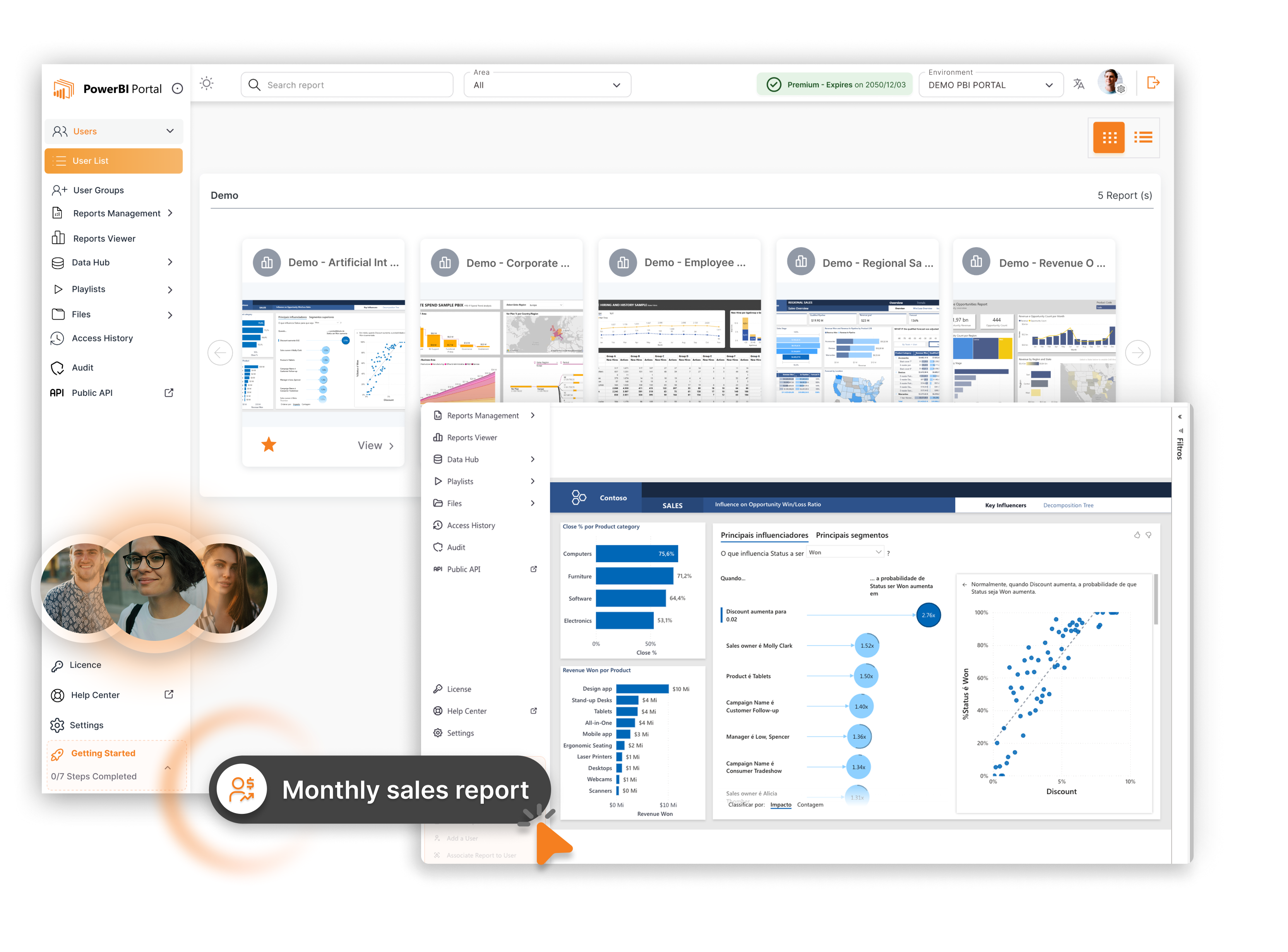
In short:PowerBI Portal is self-service analytics software made by DevScope. It creates a branded website through which any number of users can view live, interactive Power BI reports without holding a Power BI licence. Row-level security restricts each user to their own data. Access is managed through the portal’s own user system, so external parties do not need a Microsoft account. The Premium tier adds Portal AI, an AI assistant that answers questions in natural language from the data in your reports. Prices start at £129 a month. Hopton Analytics is DevScope’s Authorised Partner, UK & Ireland, and sells, implements and supports PowerBI Portal in both countries.
No Power BI licence needed to view
Unlimited users on Standard and above
Row-level security per user
White-label: your brand, your domain
No Azure F-SKU or A-SKU required
The problem
The external sharing problem
Power BI’s internal sharing tools work well inside a single Microsoft tenant. Sharing reports with people outside it is harder. The main options are exporting to PDF and emailing it, adding external users as B2B guests in Entra (which requires a Microsoft account and a licence), or embedding via Power BI Embedded (which requires Azure capacity billed by the hour). None of those is the right answer when you want dozens or hundreds of external users to view live, interactive reports, each seeing only their own data.
PowerBI Portal fills that gap. It handles authentication, data restriction and report rendering itself, without requiring Azure capacity or a licence for every person who logs in.
How PowerBI Portal compares

| Power BI Embedded | PowerBI Portal | |
|---|---|---|
| Infrastructure cost | Azure capacity billed by the hour (F2 SKU starts around £700 a month) | Software licence, from £129 a month |
| Who handles authentication | You build and host the authentication layer | Built into Portal |
| External user accounts | Your own identity system or Entra B2C | Portal manages its own user list |
| Technical effort to stand up | High - requires Azure, MSAL, application registration, embed tokens | Low - Hopton installs and configures the server |
| AI assistant | Not included | Included in Premium tier |
Azure capacity pricing as published on Microsoft Azure pricing pages, September 2026.
What it does
What PowerBI Portal does
Unlimited users
Capacity-based licensing means you can give access to as many customers, partners or staff as you need. They log in and see live reports. No per-user Power BI licence required.
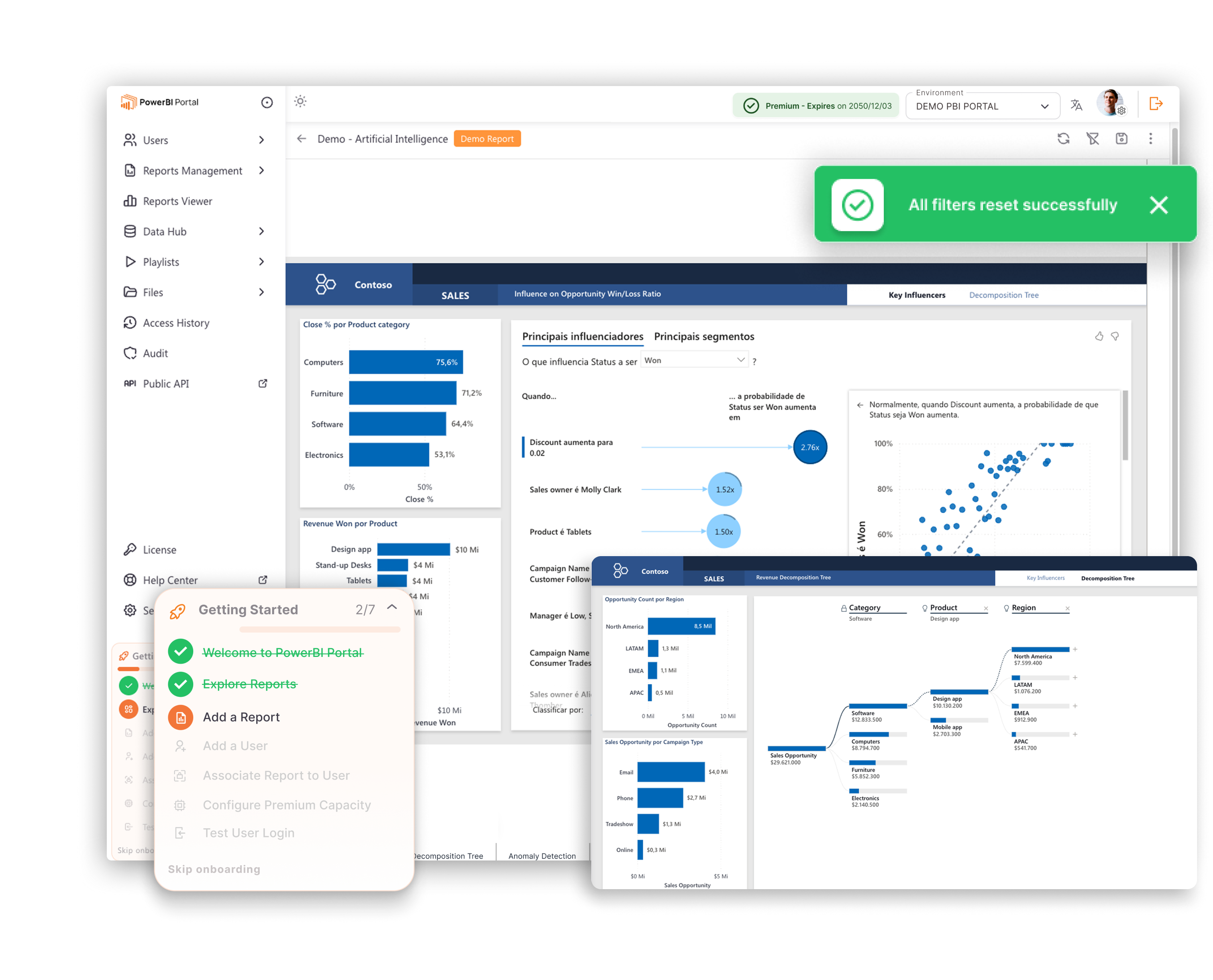
Everyone sees only their own data
Row-level security restricts each user to their own slice of the data. A customer sees their figures, not anyone else's. Set up in the Power BI semantic model, enforced automatically on every report.
Works outside your Microsoft tenancy
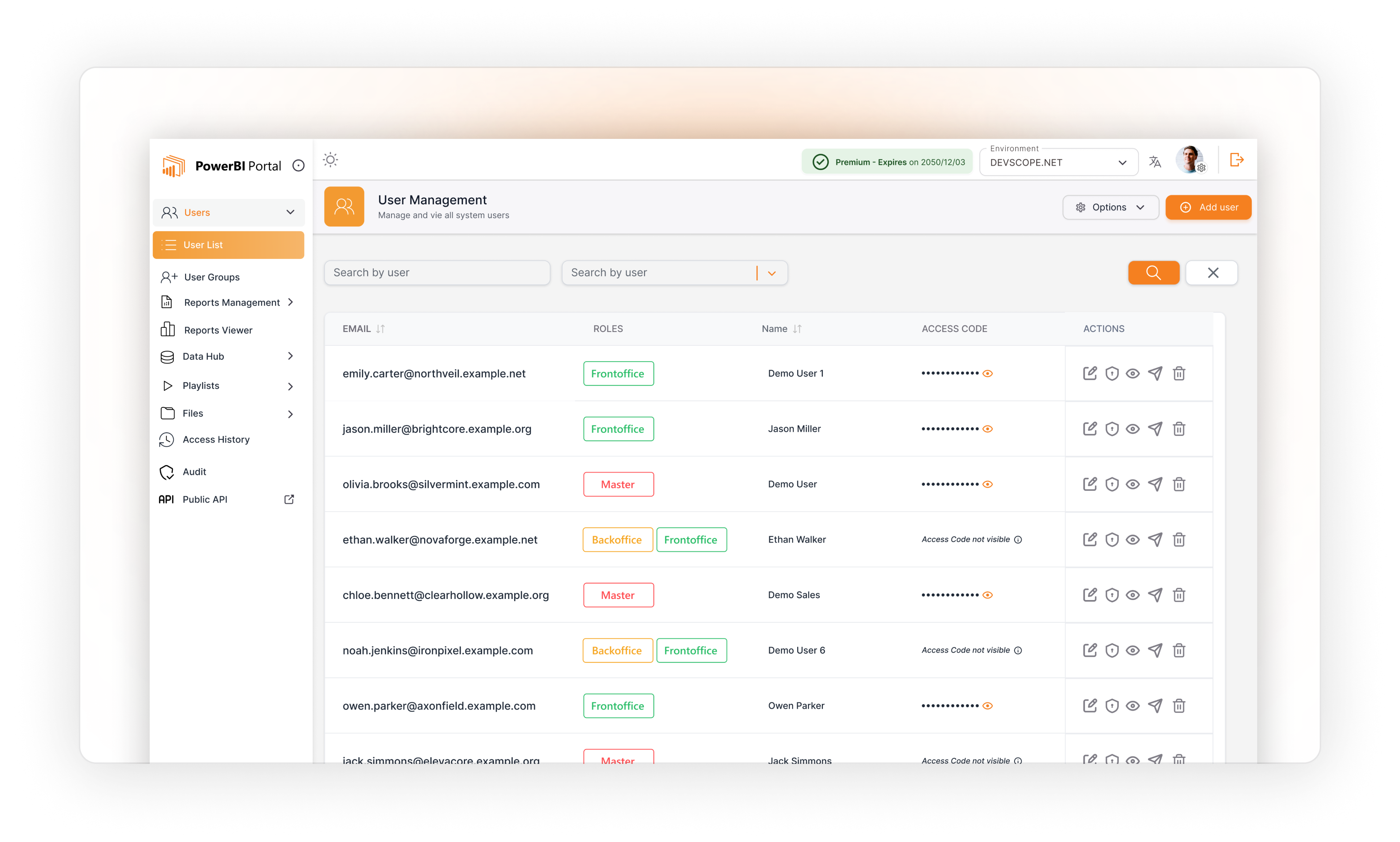
External users authenticate through the portal, not through Microsoft Entra. That means external parties - customers, partners, auditors - access reports through an ordinary login screen.
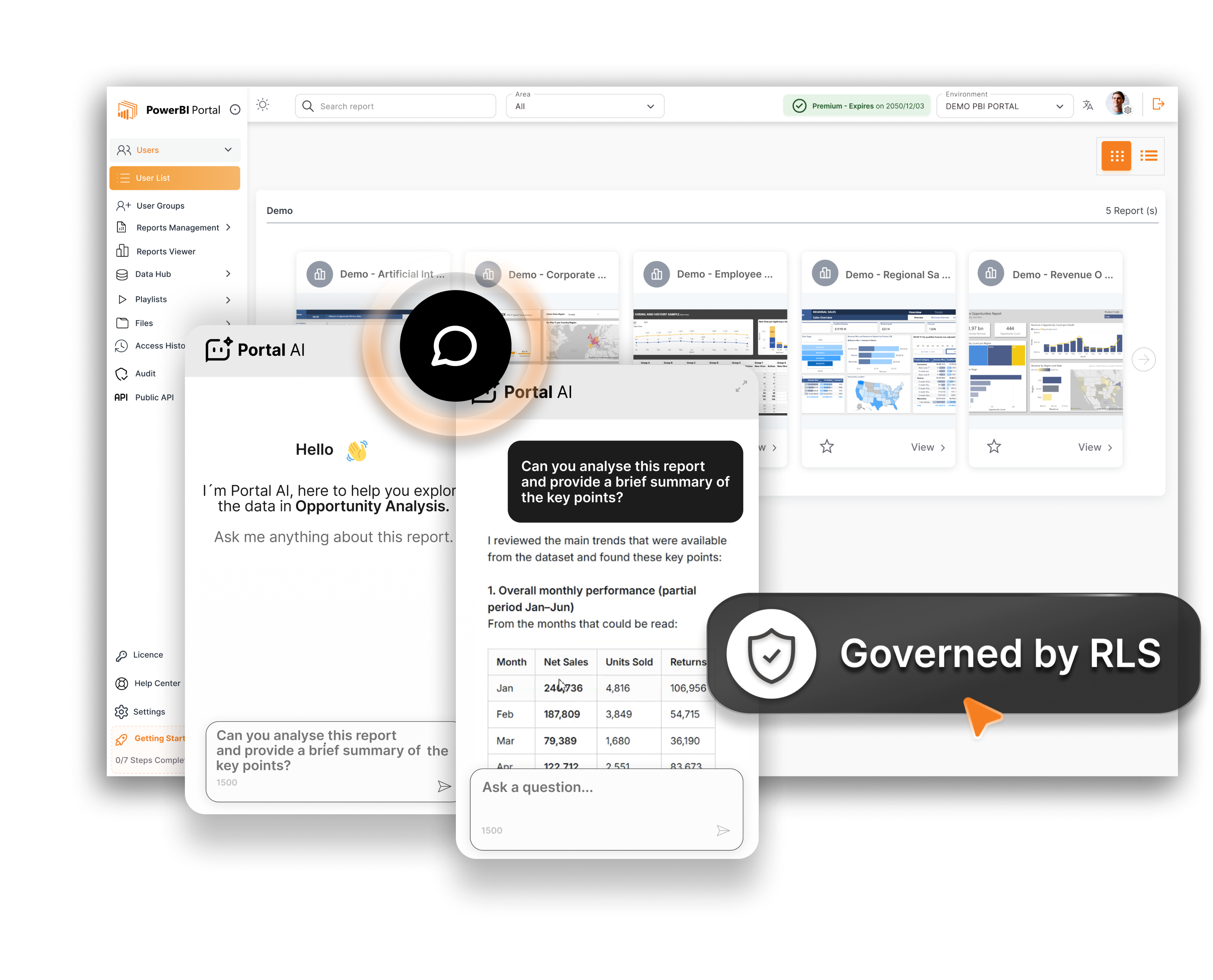
Portal AI
An AI assistant sits inside the portal, trained on your reports and documentation. Users ask questions in natural language and get answers from the data, without needing to know how to filter or navigate the reports themselves.
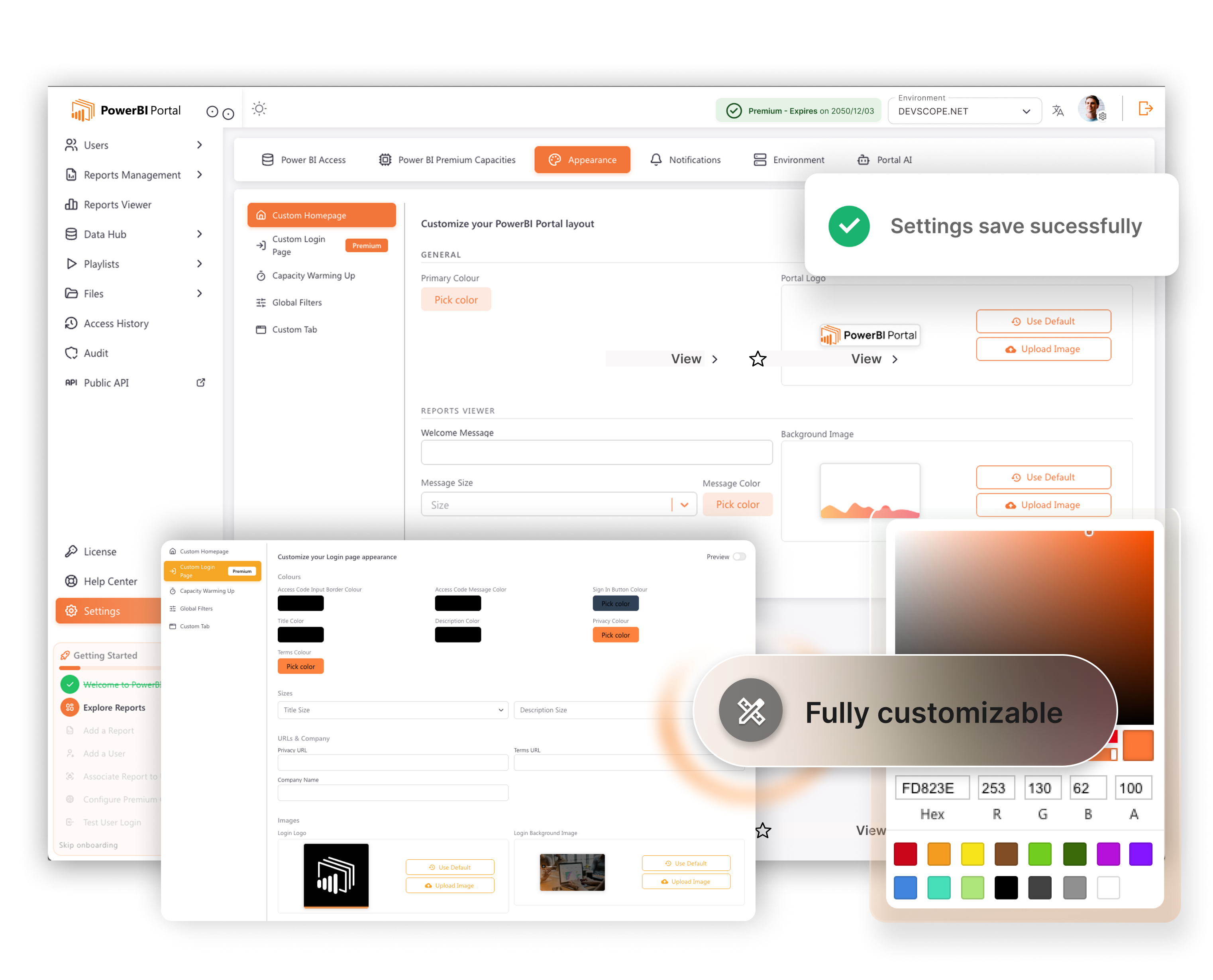
Your brand
Your logo, your colours, your domain. To customers, it is your platform - not a DevScope product. The portal can be embedded into an existing website or sit at a subdomain you control.
Embedded analytics without Fabric capacity
Power BI Embedded requires Azure capacity. Portal uses its own rendering engine, so you pay for the software licence rather than a running cloud resource. Costs are predictable.
Is this for you?
Who uses it
- Wholesale and distribution giving each customer or supplier their own sales, stock and delivery reports without access to your Power BI tenant.
- Professional services firms sharing client-facing reports - project delivery, financial summaries, compliance dashboards - through a secure, branded client portal.
- Franchise operations and networks giving each franchisee or site their own trading view, with data restricted to what they own.
- Software vendors (ISVs) embedding Power BI reporting into a product, so customers get analytics without a separate BI platform.
- Finance and insurance sharing regulated reports with brokers, clients or advisers in an environment you control.
Pricing
PowerBI Portal pricing
| Plan | Price | Portals | Users | What’s included |
|---|---|---|---|---|
| Starter | £129 a month | Up to 5 | Up to 100 | White-label branding, row-level security, user management, live Power BI reports. |
| Standard | £309 a month | Up to 25 | Unlimited | Everything in Starter, plus unlimited users. |
| Premium | £349 a month | Unlimited | Unlimited | Everything in Standard, plus Portal AI and unlimited portals. |
| Enterprise | Price on request | Unlimited | Unlimited | Enterprise SLA, dedicated support, custom contract. |
Prices billed annually, excluding VAT. September 2026. You need one Power BI Pro account to connect Portal to Power BI Service. A Windows Server (or Azure Windows virtual machine) is required to host the Portal application. Set-up is a fixed price, quoted after a scoping call. Support is available on a monthly plan.
Get a quoteProof Run: try it free on one of your own reports
Proof Run is our free trial. We set up a Portal instance with one of your reports and give access to a small group of your users for 30 days. If it works for you, we quote the full set-up. If not, you owe nothing.
What we do
- Install and configure Portal on your server or a temporary Azure virtual machine, remotely
- Connect it to your Power BI workspace and apply row-level security
- Brand the portal with your logo and colours
- Create user accounts for your trial group
What we need from you
- One Power BI Pro account for the service account
- A Windows Server (or we can use a temporary Azure VM)
- The report or workspace you want to share externally
- Row-level security defined in your semantic model
One Proof Run per organisation.
Start a Proof RunWhy Hopton
The portal is only as good as the data behind it
External users are less forgiving than internal ones. If a number is wrong, a customer notices it before your team does. Before we build a portal, we make sure the semantic model it reads from is correct, the row-level security is properly tested, and the reports are designed to work for users who don’t know how to use Power BI.
We are a Microsoft Solutions Partner for Data & AI and a DevScope Authorised Partner. We do the Power BI work and the Portal work, so there is no gap between the two teams.
We can also handle the reports and data behind the portal through our Power BI work and our Analytics Acceleration Programme.
Our approach
How we get you live
Scoping call
Who will use the portal, what they need to see, and whether your reports are ready to publish externally.
Proof Run
One report, one user group, live for 30 days in a Portal instance we host temporarily.
Build
Portal server, authentication, branding, user groups and row-level security, for a fixed price.
Handover and support
Your team manages users through the Portal admin console, with our support plan behind them.
Portal or Robots?
Portal or Robots?
PowerBI Portal
PowerBI Portal lets people pull live, interactive reports whenever they like, through a branded website. It suits people who need to filter, drill down and explore.
PowerBI Robots
PowerBI Robots pushesa finished report to people on a schedule, as PDF, Excel or image. It suits people who want the numbers in their inbox and won’t log in to anything.
Plenty of organisations use both: a summary PDF every Monday, with a link to the portal for anyone who wants to dig in.
Also explore
PowerBI Robots
Deliver Power BI reports automatically by email, SharePoint or Teams, on a schedule.
ServicePower BI
Governed Power BI delivery, so the reports your customers see are ones you trust.
ServiceAnalytics Acceleration Programme
An ongoing data function that keeps your reporting estate growing properly.
Last reviewed September 2026 by Simon Devine, Managing Director, Hopton Analytics. Product details from DevScope; Microsoft licensing from Microsoft Learn.
Get started
See your portal live in 30 days
Send us the report you want to share externally. We’ll set it up in a Proof Run and show you it working.
Start a Proof Run